
Grapher



Product information "Grapher"
Grapher – Powerful Software for 2D & 3D Data Visualization, Chart Creation, and Analysis
Visualize Your Data
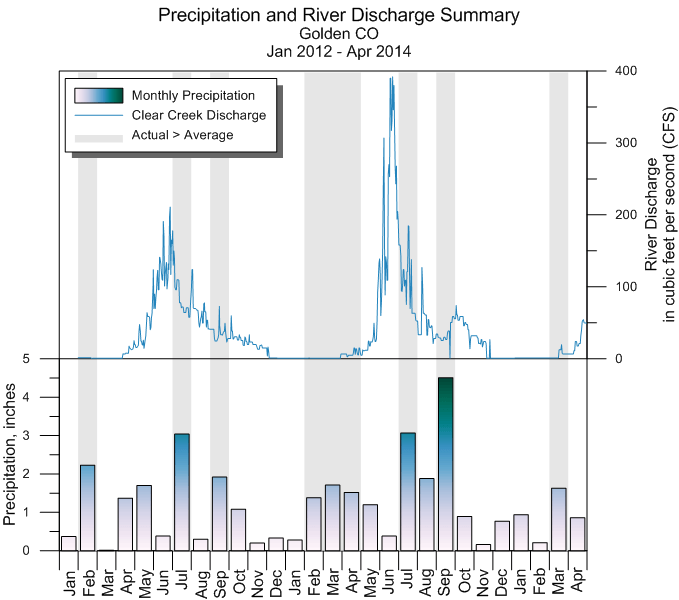
Present your data with unmatched clarity and precision! Grapher offers top-tier graphing and visualization tools to help you get the most out of your data. With over 70 types of 2D and 3D charts, you’ll always find the perfect way to showcase your insights professionally.
“Grapher is a full-featured scientific graphing program that allows users to import data in various formats, combine multiple 2D and 3D plots, and customize them down to the smallest detail.”
– David Suder, Principal Scientist, Precise Environmental Consultants
📊 Grapher – The Software for Advanced 2D & 3D Visualization, Charting, and Analysis
Analyze Your Data
Don’t miss hidden insights! Your data might contain valuable patterns and trends. Grapher’s advanced analysis tools, statistical functions, and charting capabilities help you identify trends, uncover relationships, and discover opportunities you might otherwise overlook.
“Grapher has become part of my daily routine—professionally, for research, and personally. I recommend it to anyone who will listen!”
– Stephen Ross, Japan
📈 Get a complete view of your data with Grapher!
Communicate Results Effectively
Even complex datasets can be communicated clearly with Grapher. A broad range of customizable chart types helps you present ideas in a format your audience will instantly understand. Let your data speak for itself!
“It’s truly the most flexible package on the market. I always say: If you can imagine a graph, you can create it with Grapher.”
– Eric Tappa, Earth & Ocean Sciences, University of South Carolina
📌 Create ternary diagrams, polar plots, and many more with Grapher!
A Trusted Solution
Grapher is trusted by thousands of scientists, engineers, and professionals worldwide. See for yourself why so many experts rely on this powerful data visualization software.
“I’ve been using this software since 1987. Nothing else comes close!”
– Daniel J. Lombardi, P.G., Principal Hydrogeologist
✅ Experience Grapher – the professional solution for data visualization and analysis.
🔗 Learn more and get your free trial here:
➡ [Grapher Official Website]
Grapher – Create, Analyze, and Automate Professional 2D & 3D Charts
Create Professional Charts in Seconds
With Grapher, you can easily create stunning 2D and 3D charts in just a few clicks. Choose from over 70 chart types and present your data professionally—tailored to any audience.
✔ Chart Types in Grapher Include:
-
Line charts
-
Scatter plots
-
Bar charts
-
Step & function plots
-
Bubble charts
-
Histograms
-
Box and whisker plots
-
Ternary diagrams
-
Polar charts
-
Contour and surface plots
-
High-Low-Close financial charts
-
Vector and radar charts
...and many more!
🎯 With Grapher, you're in full control of your charts!
Present Your Data at Its Best
Customize every detail of your chart to communicate your data clearly. Grapher offers a wide range of design options so you can turn complex information into compelling visuals.
🔧 Customization Features:
🟢 Add legends, titles, and axis labels
🟢 Combine multiple plots in one chart
🟢 Set axis scales: linear, log, probability, or date
🟢 Add error bars, regression lines, and statistical annotations
🟢 Define custom colors, line styles, and fill patterns
🟢 Insert text, polygons, symbols, and annotation lines
…and much more!
📊 Showcase your data the way it deserves—with Grapher!
Gain Deeper Insights with Powerful Analysis Tools
Make informed decisions using Grapher’s advanced statistical analysis functions. Analyze trends, apply error bars, or perform math operations directly on raw data.
📈 Statistical Capabilities:
📌 Fit curves (custom or built-in models)
📌 Calculate confidence intervals
📌 Display error margins and generate statistical reports
📌 Perform calculations directly on input data
🔎 Discover hidden patterns and trends in your data!
Maximum Compatibility & Seamless Collaboration
Grapher supports a wide range of file formats (e.g., ACCDB, DBF, XLSX) so you can easily import and export data from multiple sources.
💡 Work efficiently with your team and clients:
📤 Export charts for print or web (PDF, TIFF, PNG, SVG)
📎 Integrate directly into Microsoft Word & PowerPoint
🌍 Optimize visuals for presentations and professional reports
🖥️ Stay flexible with Grapher—no matter where your data comes from!
Streamlined Workflows for Faster Results
🚀 Get started in minutes—Grapher’s intuitive interface makes learning easy and fast.
⚙️ User-Friendly Tools:
🖥️ Single workspace for plots, axes, and data
📂 Object Manager for clean organization
📊 Property Manager for quick adjustments
📄 Edit raw data directly in the table view
🎯 Fully customizable UI & Quick Start Assistant
📌 Grapher provides a smooth, efficient environment for data analysis and visualization.
Automate Your Workflows: Work Smarter, Not Harder
Save time and reduce manual work with powerful automation features. Use scripts and reusable templates to eliminate repetitive tasks.
🔁 Automation Options:
🔹 Script with C++, Python, Perl, or Visual Basic
🔹 Use the built-in script recorder to capture workflows
🔹 Access an extensive script library for quick solutions
⚡ Accelerate your data analysis with Grapher automation!
🎯 Grapher – The Complete Solution for Data Visualization, Analysis & Automation
📥 Try Grapher Today:
➡ Learn More & Download Free Trial
Graph
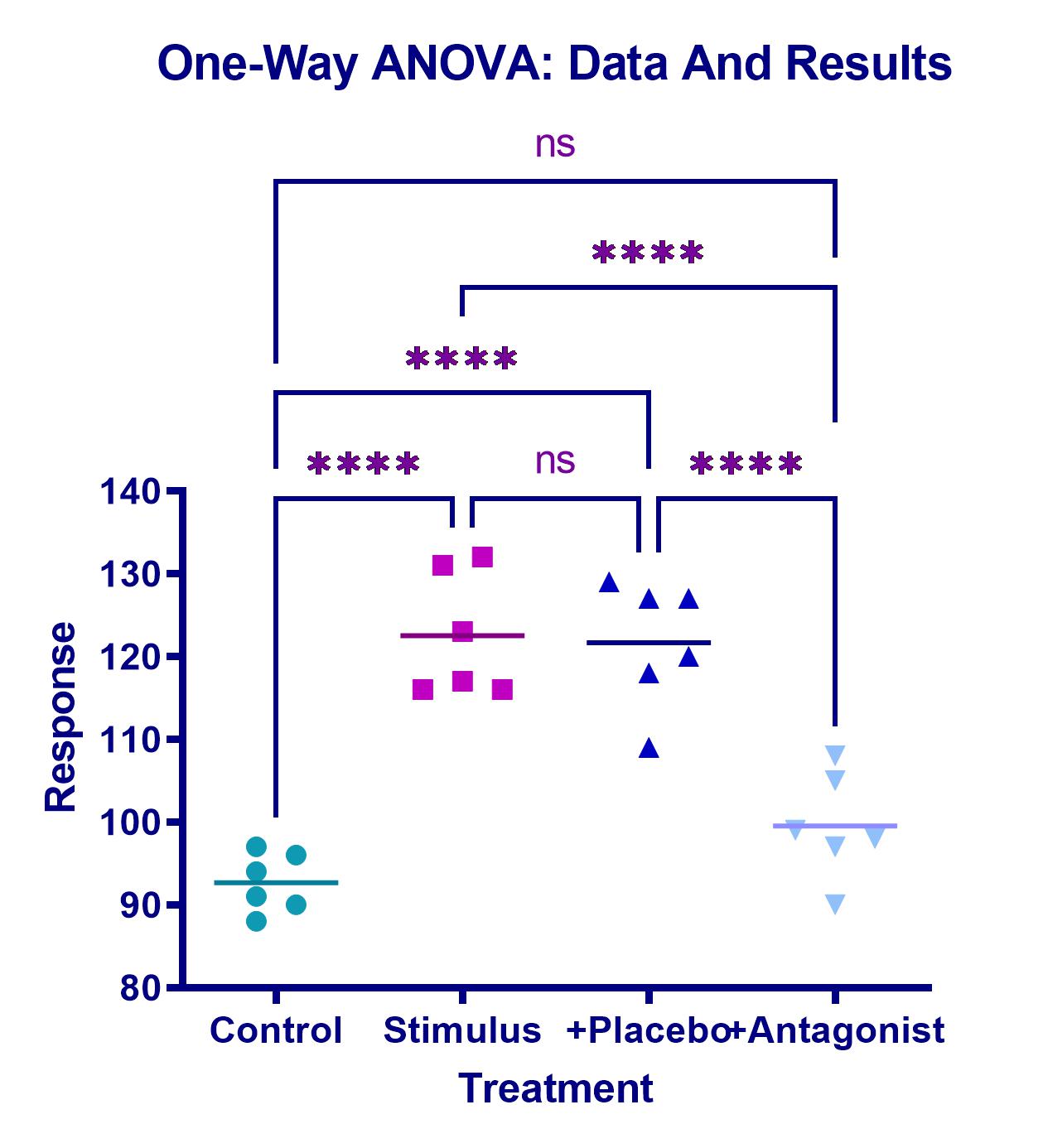
Course: Introduction to GraphPad Prism – Fundamentals of Data Analysis for Beginners In this two-day training, you will gain a solid foundation for working with GraphPad Prism, one of the leading tools for data analysis and visualization in biomedical research. You will learn the complete process of data analysis, from data acquisition to result interpretation. This course is ideal for beginners with no experience in PRISM, as well as for advanced users who want to refresh their knowledge. After the course, you will be able to use the PRISM environment confidently and conduct data analyses independently. You will be able to identify and interpret key metrics of the analysis. Course content: Day 1: Basics of GraphPad Prism 📊 PRISM Interface and Project Types 📊 Data Handling in PRISM: Formats, data entry, and import 📊 Descriptive Statistics: Tables and basic analysis 📊 Creating and Designing Graphs: Different types of charts such as bar charts, scatter plots, box plots, and Kaplan-Meier plots 📊 Graphs for Paired Samples (Before-After, Repeated Measures Graphs) 📊 Visualizing Variability in Graphs: Error bars, standard deviation (SD), confidence intervals (CI) 📊 Exporting Results: Exporting graphs and layouts to PowerPoint and Word Day 2: Statistical Analysis with GraphPad Prism 📊 Mean Comparisons: Performing t-tests, one-way ANOVA, and non-parametric tests 📊 Post-Tests: Selection and execution 📊 XY Projects: Creating dose-response curves, performing regressions, and interpreting the results 📊 Using Post-Tests and Statistical Tools in GraphPad Prism Requirements: No prior knowledge required – the course is ideal for beginners and anyone who needs a refresher. 🕒 Course Duration: 2 days 🔹 Sign up now and improve your analysis skills with GraphPad Prism!

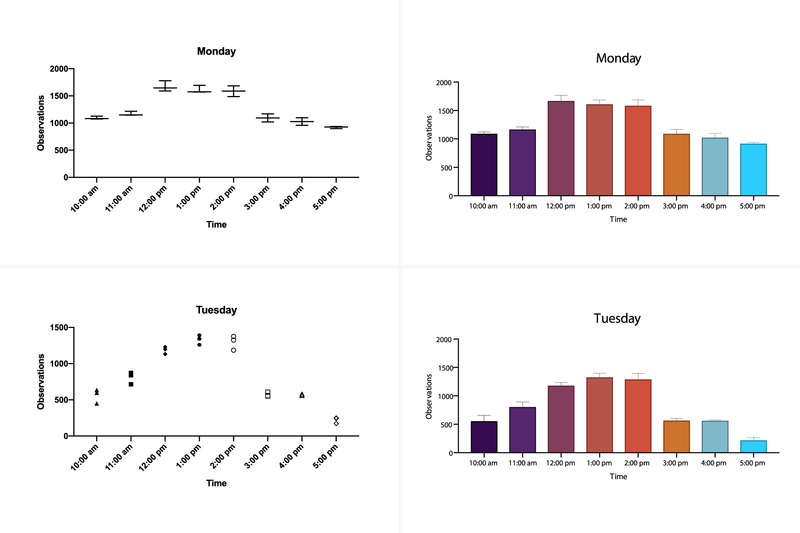
GraphPad Prism – The Leading Software for Data Analysis & Scientific Visualization GraphPad Prism is the preferred statistics and graphing software designed specifically for scientific research. Researchers around the world use Prism to perform accurate data analysis, make informed statistical decisions, and present results in professional, publication-ready charts. 🚀 Save time and improve the accuracy of your analyses with GraphPad Prism! Biostatistics & Data Analysis for Life Sciences Originally developed for biology, medicine, and pharmacology, GraphPad Prism is now widely used across the life sciences—from students and PhD researchers to scientists in the pharmaceutical and healthcare industries. ✅ Easy-to-use statistical analysis tools for scientists ✅ Automated graphing for accurate data visualization ✅ Clear, easy-to-understand results interpretation 📌 No other software offers such intuitive and powerful curve fitting! Powerful Statistical Tools in GraphPad Prism GraphPad Prism includes a wide range of statistical tests and regression models to help you analyze your research data precisely and confidently. Included Statistical Methods: 📊 t-tests (unpaired & paired) 📊 ANOVA (one-way, two-way, three-way) 📊 Nonparametric tests 📊 Linear & nonlinear regression 📊 Survival analysis (Kaplan-Meier) 📊 Contingency table analysis 💡 Especially for nonlinear regression, Prism offers advanced tools to calculate EC50, fit complex models, and compare curves with ease. Scientific Graphing with Flexible Chart Customization With GraphPad Prism, you can create high-quality scientific graphs that update automatically when your data changes. 🎨 Graphing Highlights: ✅ Automatically generated graphs based on your analyses ✅ Fully customizable axes, colors, labels, and layouts ✅ One-click templates for professional, consistent output 📈 Create perfect scientific visuals in just a few clicks! Why Choose GraphPad Prism? 🔹 Fast & easy data analysis for scientists 🔹 Automated statistics and charting for accurate research 🔹 Comprehensive tools for biostatistics & nonlinear regression 🔹 Intuitive interface – perfect for students and professionals alike 🚀 Get started with GraphPad Prism and take your scientific research to the next level! 📥 Download your free trial now: ➡ Learn more & get the free trial
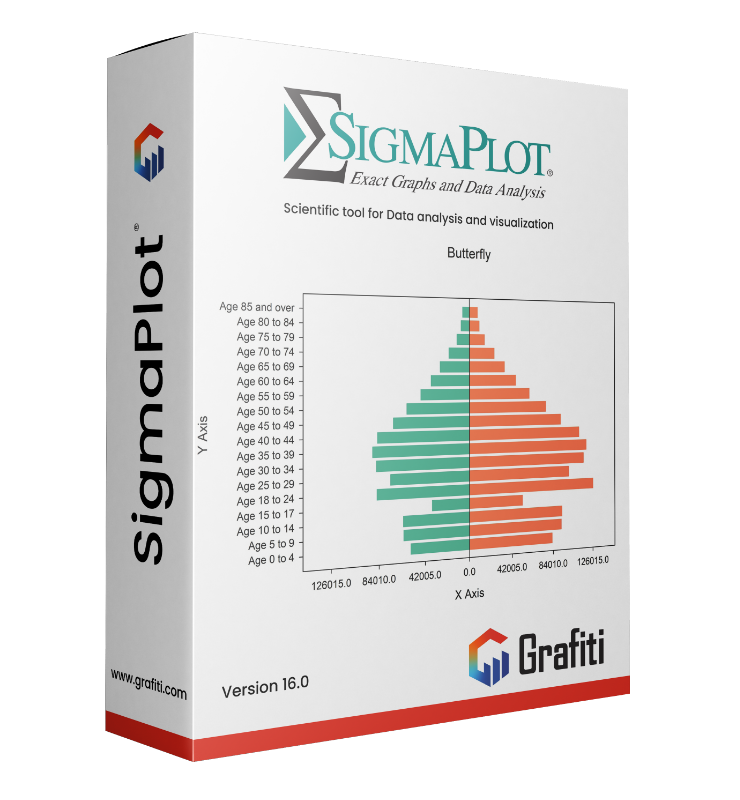
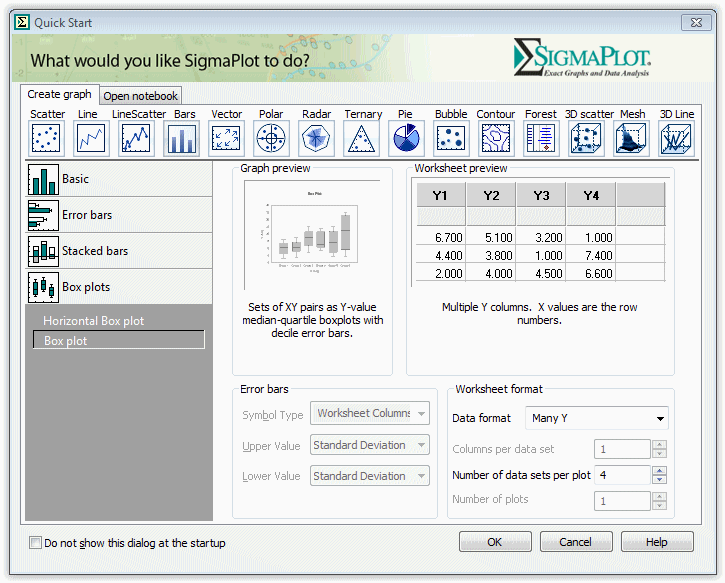
📈 SigmaPlot® – Advanced Technical Graphing & Data Analysis SigmaPlot is the leading software for creating high-quality 2D and 3D scientific graphs and performing precise data analysis. Designed for researchers, engineers, and scientists, SigmaPlot generates publication-ready visuals while offering a robust set of statistical tools—making it ideal for high-level research, documentation, and scientific presentations. ✅ Why Choose SigmaPlot? 🧪 Accurate scientific visualizations in 2D & 3D 📊 50+ built-in statistical tests, including Kaplan-Meier, Bland-Altman, curve fitting & more 🖼️ Publication-quality graphics – ideal for journals, reports, and conferences 🔁 Macro automation for repetitive tasks and workflows 📎 Seamless integration with Microsoft Excel, Word, and PowerPoint 🎨 New Ribbon UI & redesigned Graph Properties dialog for faster productivity ✨ What’s New in the Latest Version of SigmaPlot? 🔹 Scatter matrix plots with up to 40 variables 🔹 Filled arrowheads for precise annotation 🔹 Multi-column sorting based on index columns 🔹 Oneway frequency tables & new chart types 🔹 Streamlined workflows with fewer clicks and faster graphing 📊 Powerful Graphing Features ✔️ Customizable axis scales for technical presentations ✔️ Multi-axis layout support ✔️ Regression analysis & nonlinear curve fitting ✔️ Automatic error bars & confidence intervals ✔️ Enzyme kinetics & specialized scientific chart types 🧠 Built-In Statistics Advisor SigmaPlot includes a Statistics Advisor that guides you to the right statistical test and walks you through its application step by step. 📌 Examples include: • t-tests, ANOVA, nonparametric tests • Kaplan-Meier survival analysis • Bland-Altman method comparison • Regression models & curve fits • Enzyme kinetics and more 🔄 Optimized for the Microsoft Office Workflow 🔗 One-click data import from Excel 📄 Insert SigmaPlot charts directly into Word & PowerPoint 📤 Export high-resolution graphics for publication or presentation 🎯 Conclusion: SigmaPlot – When Your Research Demands Clarity Whether in medicine, life sciences, chemistry, physics, or engineering, SigmaPlot delivers everything you need for professional-level data visualization and analysis. Intuitive to use, powerful in output. 📥 Learn more or request a free trial: ➡ Visit the official SigmaPlot product page: www.systat.com/products/sigmaplot